YouTube
TxDOT.gov product library
How to use this component
Select the YouTube component when you want users to play YouTube videos directly within the page instead of navigating to the YouTube site.
This component embeds YouTube videos within a webpage, allowing users to watch the video directly on the site.
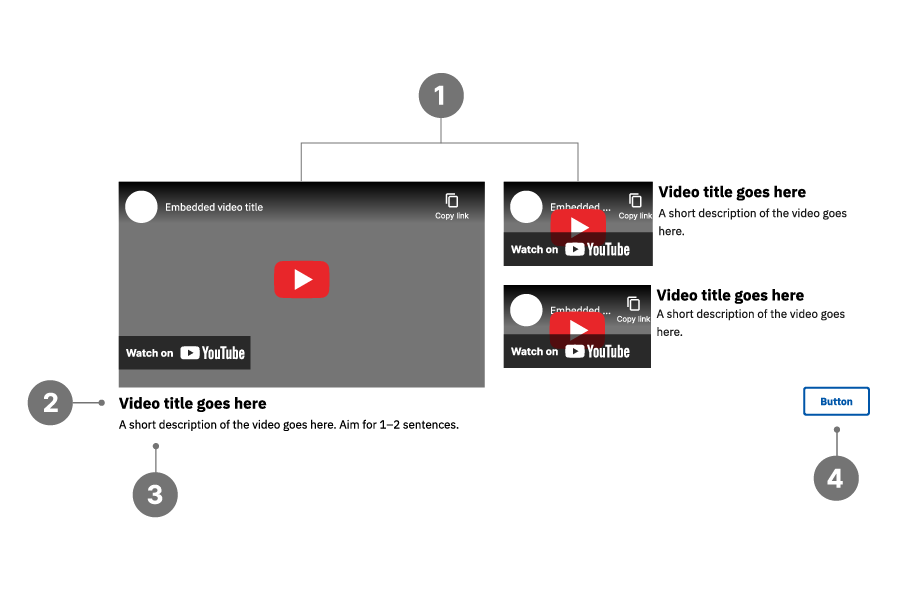
YouTube anatomy
- YouTube video player
- Video title
- Description
- Button (optional)
Best practices
- Consider using the Featured layout to emphasize a primary video while still surfacing related videos.
- Use the Horizontal layout to display more than three videos, adjusting videos per row to balance detail and choice.
- Use short, descriptive video titles (maximum 65 characters); shorten default YouTube titles when needed.
- Do not link to videos that are not hosted on TxDOT's official YouTube channel.
- Avoid autoplaying videos, as this can be disorienting—especially for users of assistive technologies.
- Avoid displaying too many videos at once, which can cause choice overload.
Examples
Bad example:
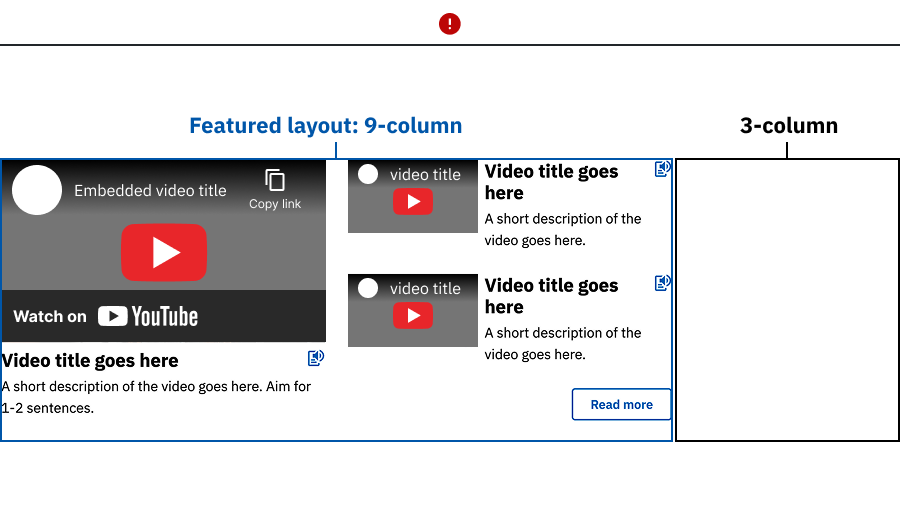
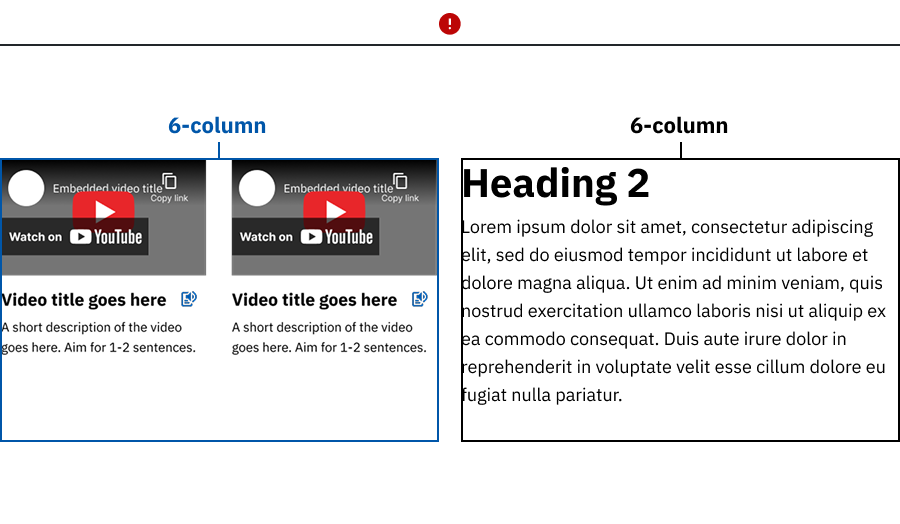
- The YouTube component is placed inside a Column layout, causing the videos to feel constrained and misaligned.
- The multi‑column YouTube layout is used without enough videos to fill the wide content area, resulting in unbalanced spacing.
Good example:
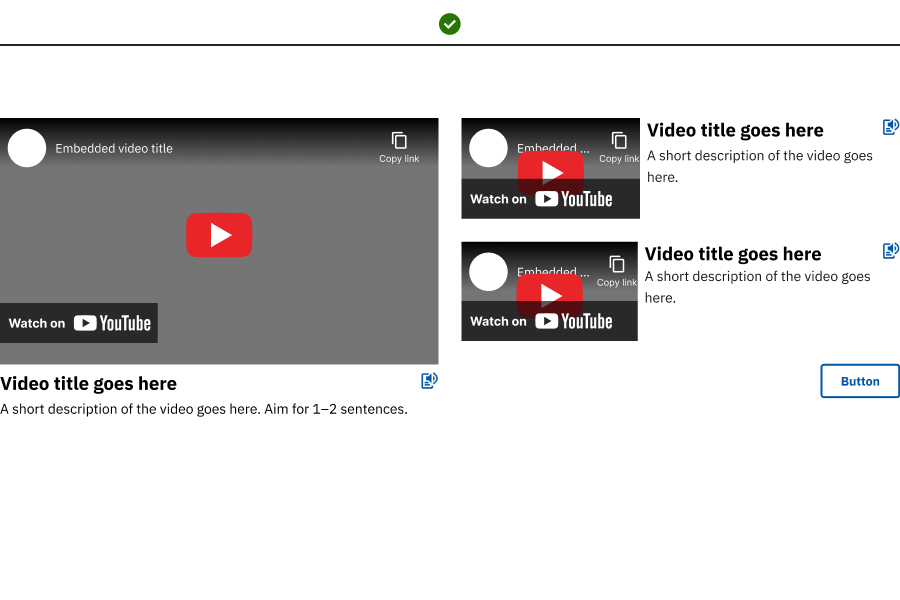
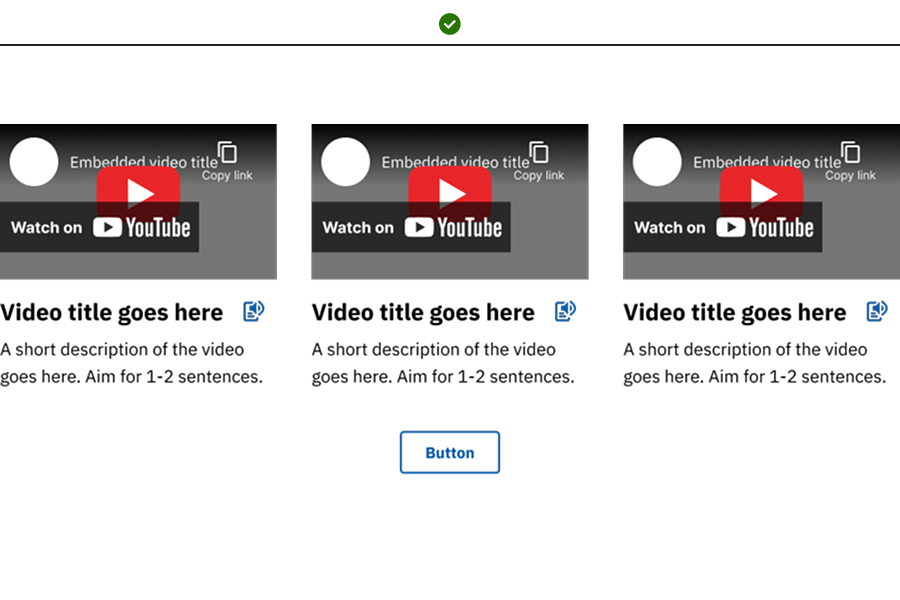
- The YouTube component is placed in a wide content area using the featured layout to emphasize a primary video with supporting related videos.
- The YouTube component uses a multi‑column horizontal layout in a wide content area, with enough videos to fill the layout and maintain visual balance.
Placement
Place the YouTube component in wide, main content areas; use the Featured layout near the top for high‑visibility, and reserve multi‑column layouts for wide spans.
YouTube characteristics
- Description: Provide additional information about your video.
- Sign language icon: If your video includes sign language, select the "Show sign language icon on video" checkbox to display an icon next to the video title.
- Transcript: Optional but can help some users if provided.
- Display width: Only available in 1-column layout when displaying one video per row.
- Full page width: Default value, expands the video to the full width of its container.
- Inset: Narrows the display of the single video and centers on the page.
Component requirements
All videos should be uploaded to TxDOT's official YouTube channelbefore being placed on the site.
Uploading videos
Authorized users can request their videos to be uploaded to TxDOT's YouTube channel by submitting a ticket.
Visibility options
- Public: Anyone can view the video.
- Private: Only those with the URL can view the video.
Note: This setting must be chosen during upload and cannot be modified within the component.
Accessibility
- Ensure the video title is unique and descriptive.
- Ensure the video has synchronized and accurate text captions of the speech and non-speech audio information needed to understand the content. Captions should be:
- Synchronized to appear at the same time as the corresponding audio.
- Accurate to the audio content.
- Detailed - captions should not only include dialogue, but also identify who is speaking and include non-speech information conveyed through sound such as music, meaningful sound effects, and relevant environmental background noises like a door slamming, people clapping, etc.
- Audio Description should be included in prerecorded videos. An audio description is a synchronized spoken narration added into the video that describes the important visual content in the video.
- If all of the video information is already provided in existing audio, including any relevant visual information, no additional audio description is necessary.
- The audio description should be in the same language as the video or page on which it appears.
- A transcript is optional but encouraged.
Web coordinator checklist
- Sign language icon: To add a sign language icon, check the "Show sign language icon on video?" box. The icon will appear at the top of the video.
- YouTube link: Use the the watch link from the browser's address bar when entering the YouTube link. Non-YouTube links will cause an error.
- Full screen option: Check the "Allow full screen" box to enable users to toggle the video to full screen.
- Transcript: If you want to provide a text transcript, enter it in the Transcript box. This helps users follow along with the video.
- Layout style:
- Select standard width (default) for the standard dimensions (770px by 433px).
- Select full width to make the video expand to the full width of its container.
- Title and description alignment:
- Choose left alignment (default) for left-justified text.
- Choose center alignment for center-justified text.
Updated May 7, 2026