Live video stream
TxDOT.gov product library
How to use this component
This component is used to display live video streams on a page, such as Commission and live traffic cameras. This component is replacing the deprecated 'Video streaming' and 'Commissioner live stream' components.

The Live Video Stream component provides a way to stream live content on a page.
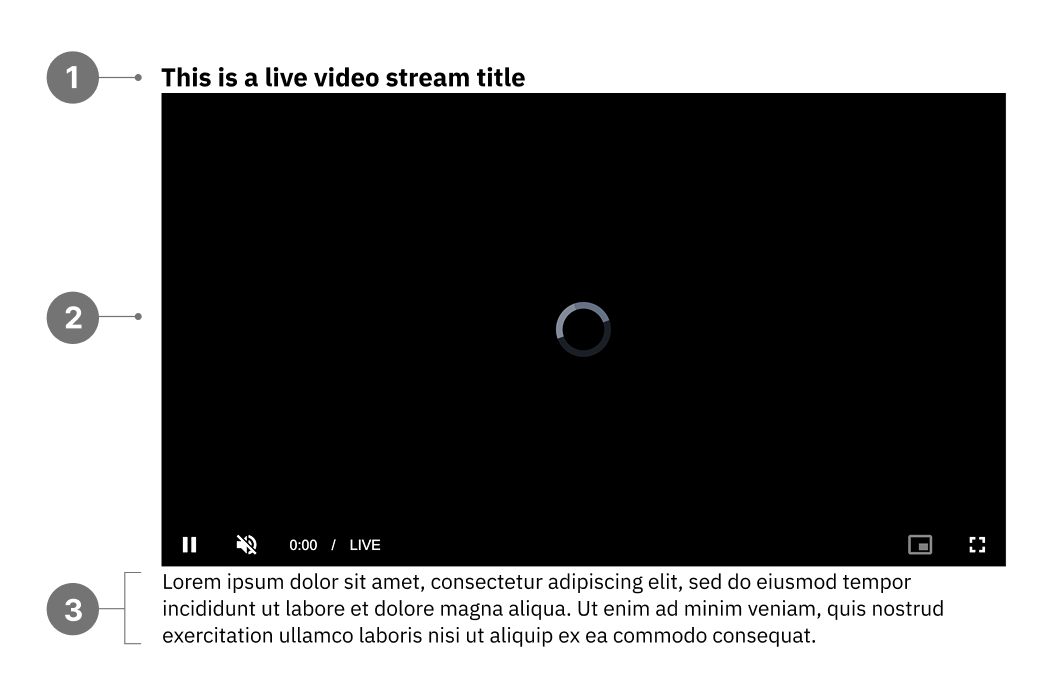
Live Video Stream anatomy
- Title
- Live video
- Description
Best practices
- Use a short, descriptive title for your video.
- The video description is optional; if included, keep it brief and focused on the live video.
- Avoid autoplaying videos as it can be disorienting for users, especially those using screen readers.
- Don’t use the video description for page content.
- Don’t include multiple Live Video Stream components on a page to prevent slow loading and visual clutter.
Examples
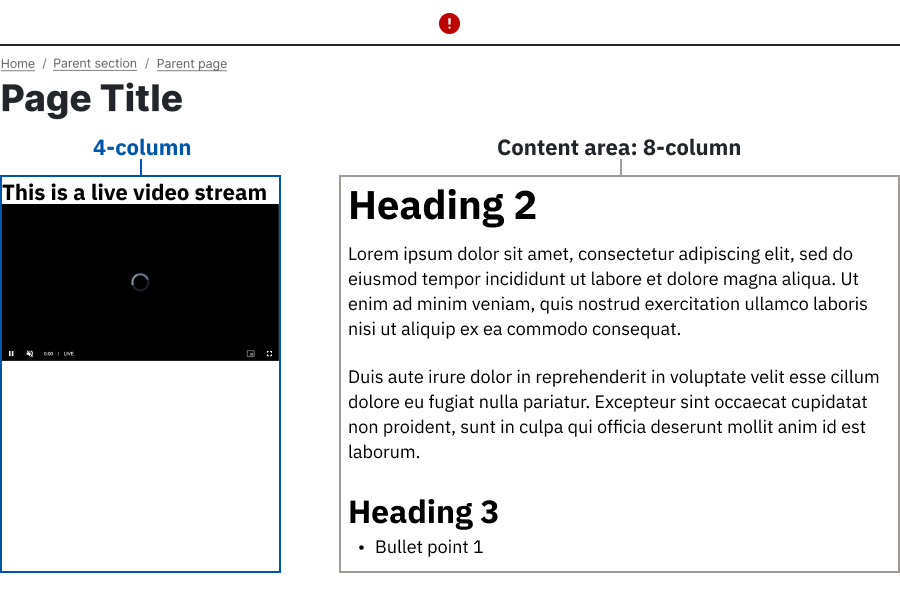
Bad example: The Live Video Stream is placed in a narrow column, causing the video player to appear cramped.
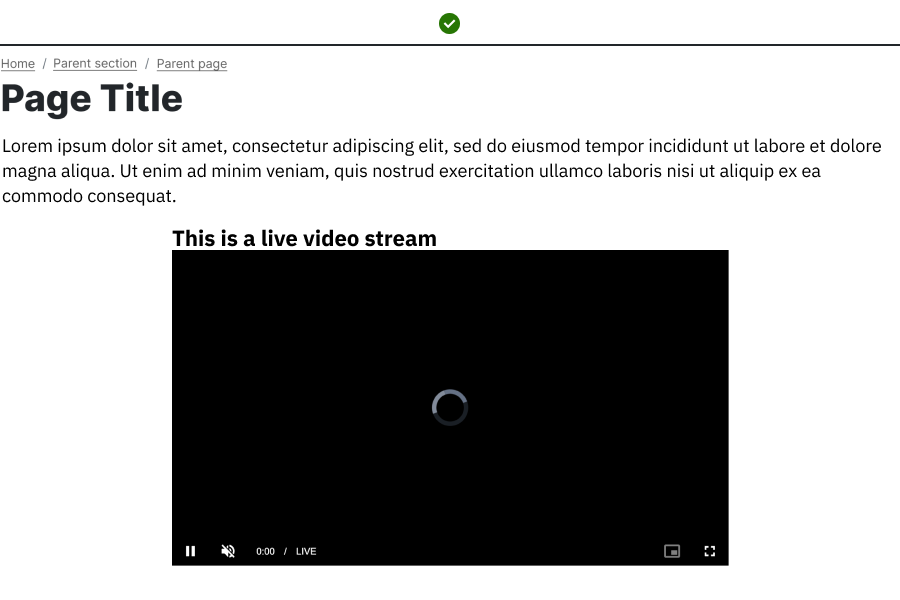
Good example: The Live Video Stream is placed in a wide content area using the Standard (Inset) layout near the top of the page.
Placement
Place the Live Video Stream component in wide, main content areas, ideally near the top of the page for high visibility.
Live Video Stream characteristics
- Displays best using the Standard (Inset) video layout.
- Works best in wide column spans; use at least 8 columns in 8:4 layouts or 9 columns in 9:3 layouts.
- Includes built‑in accessible player controls, including captions and keyboard navigation.
- Requires a stable, high‑quality stream source for consistent playback.
Accessibility
- Ensure the Live Video Stream has a unique and descriptive title.
- Verify that captions are provided for live videos that contain audio.
- Text captions must be synchronized with the audio content in the live video. Captions not only include dialogue, but also identify who is speaking and notate sound effects and other significant audio.
Web coordinator checklist
- Only utilize the "Commission livestream video" checkbox for live meetings of the Texas Transportation Commission.
- If checked, the "Show Commission video" checkbox enables the display of the video stream on the page.
- The title should be in the same language as the video.
- Use a full, valid URL for the Video embed link field.
- If you want to provide a text transcript, link to it in the Description field. This helps users follow along with the video.
Updated February 19, 2026